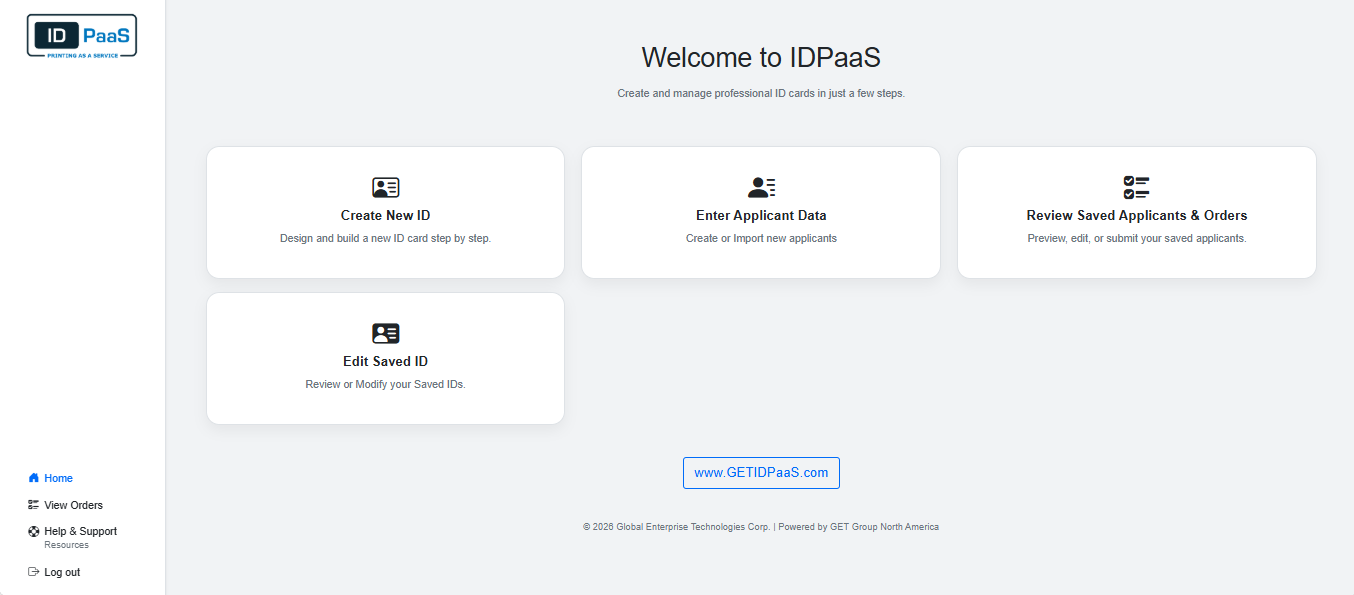
Step 1 • Solution • System • Service
SIGN IN
Secure access
Portal SW
Role-based
1. Sign In
: fast, secure access into your credential workflow.
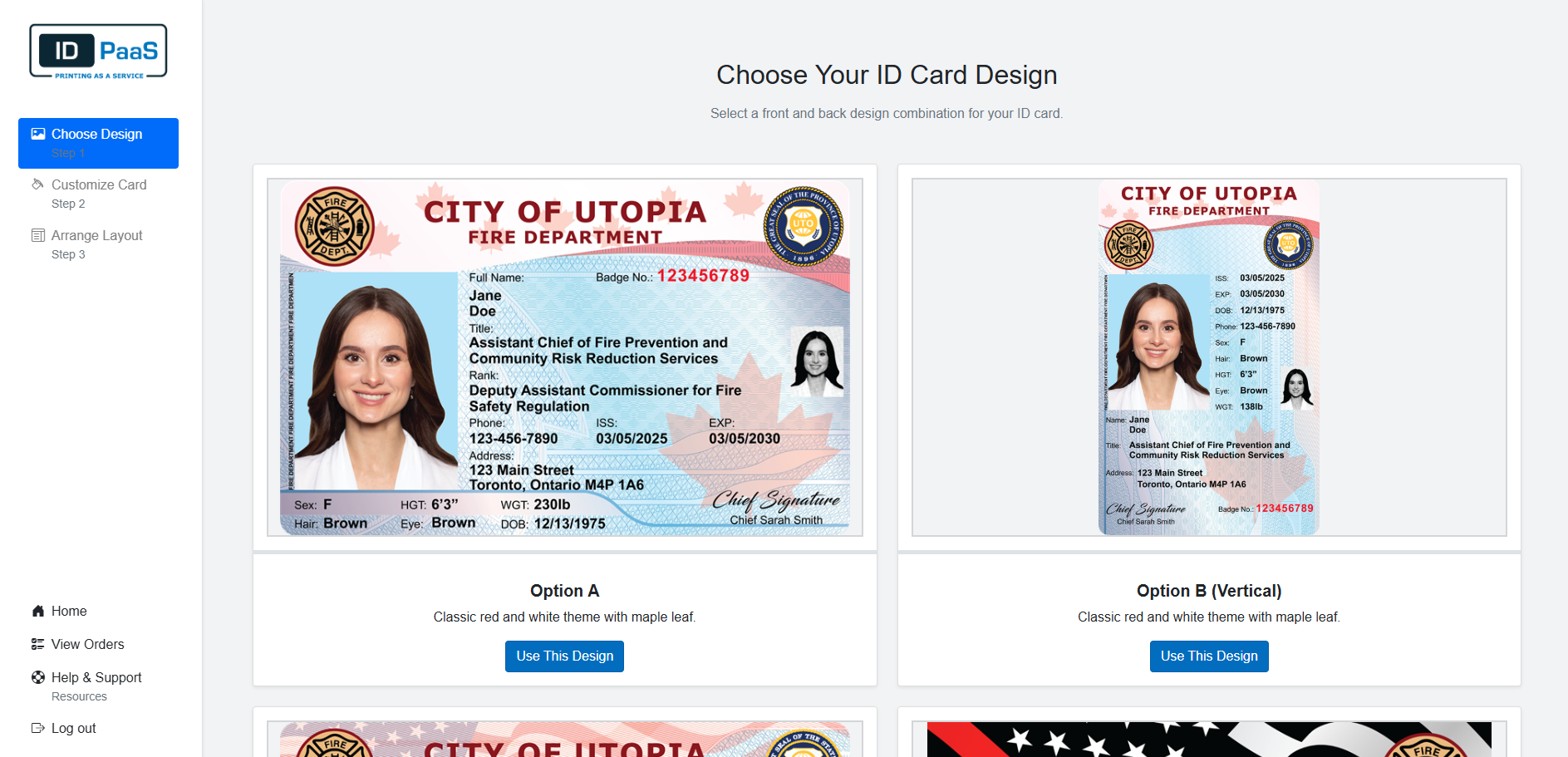
Step 2 • Solution • System • Service
CHOOSE DESIGN
Templates
Standards
Consistency
2. Choose Design
: select an approved template for consistent, official credentials.
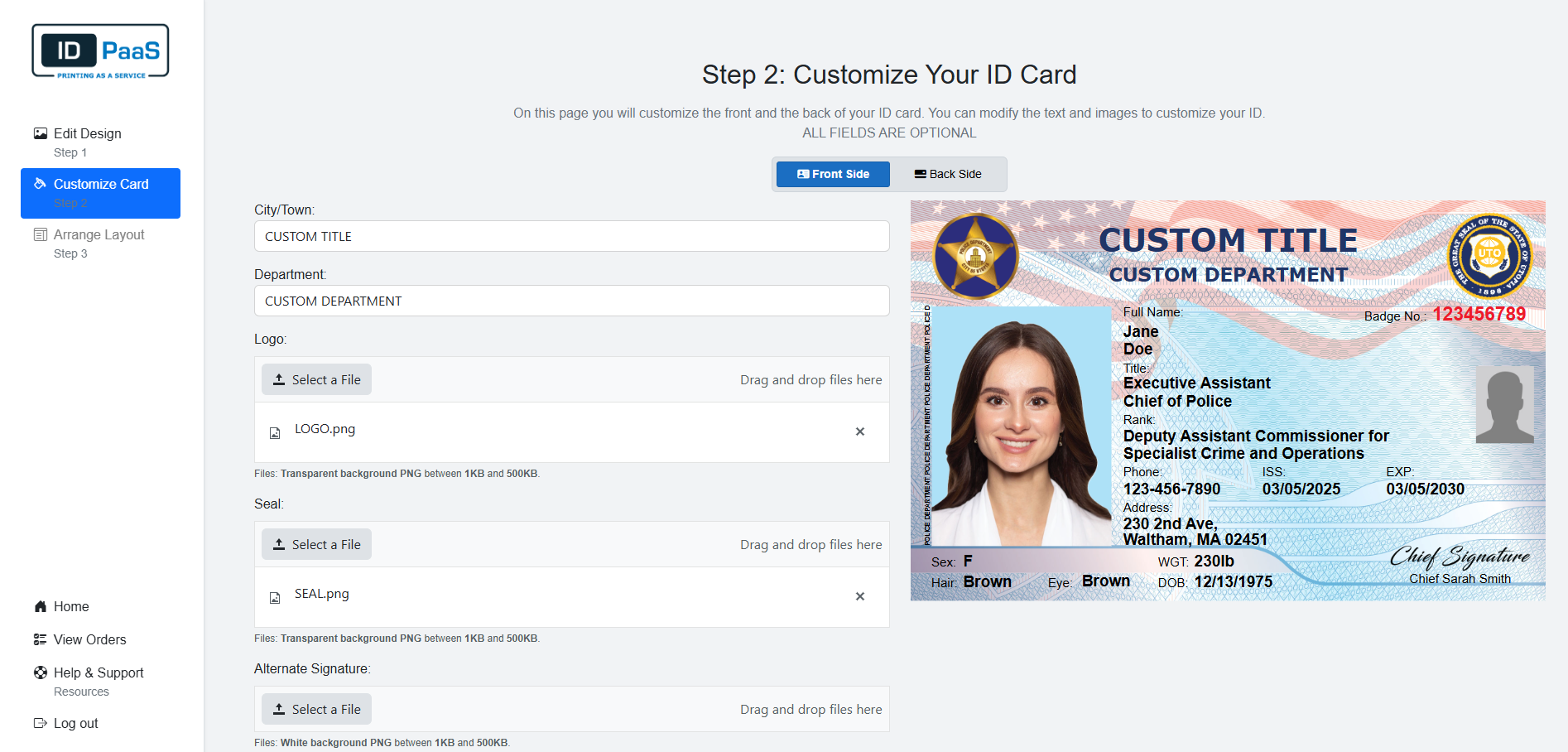
Step 3 • Solution • System • Service
CUSTOMIZE CREDENTIAL
Policy-ready
Security options
Branding
3. Customize Credential
: configure titles, logo, seal and signature to match your system.
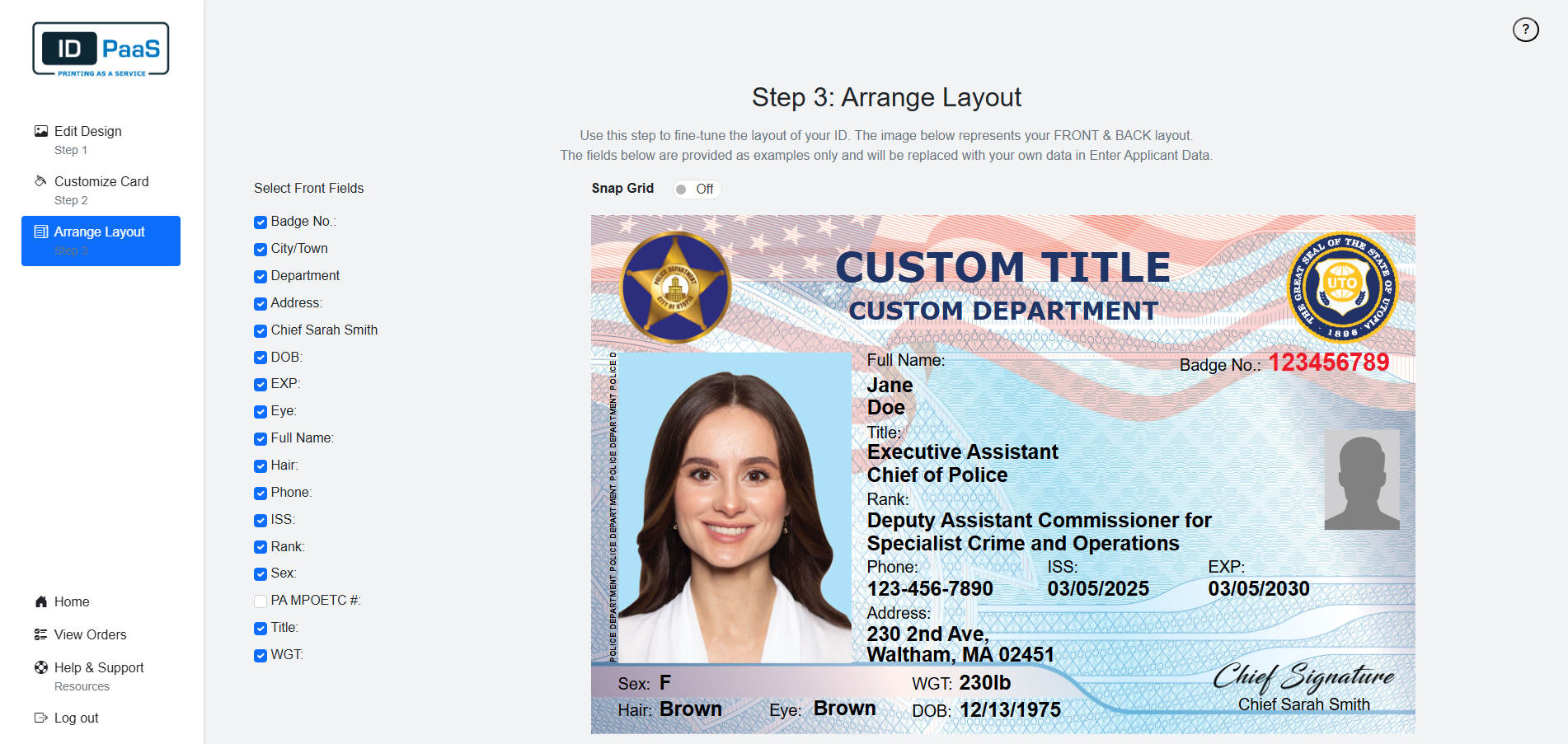
Step 4 • Solution • System • Service
ARRANGE LAYOUT
Readable
Standard layout
Field-ready
4. Arrange Layout
: fine-tune your layouy by selcting the feilds you want.
Step 5 • Solution • System • Service
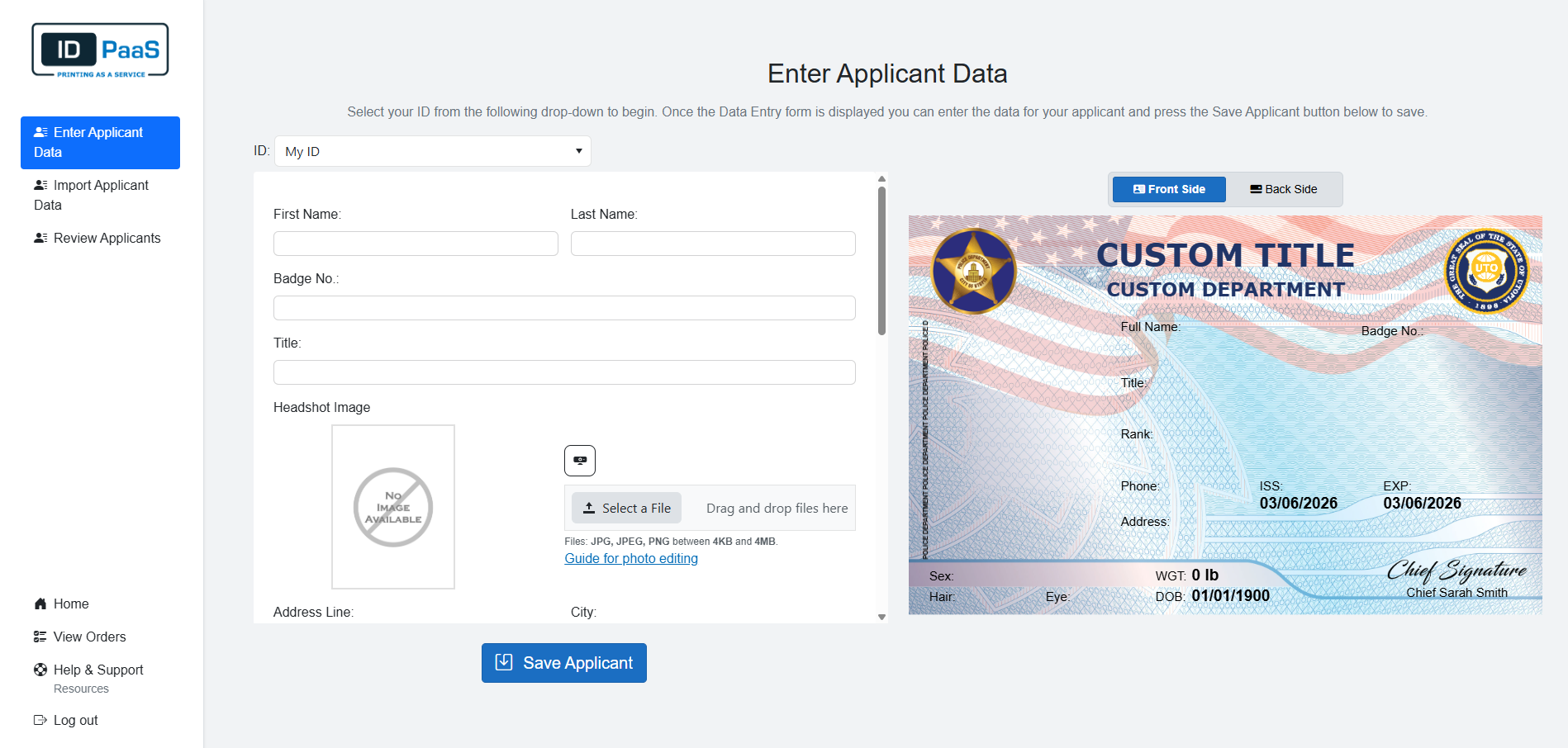
ENTER DATA
Roster
Imports
Integration
5. Enter Data
: data entry of your applicants and save cardholder records.
Step 6 • Solution • System • Service
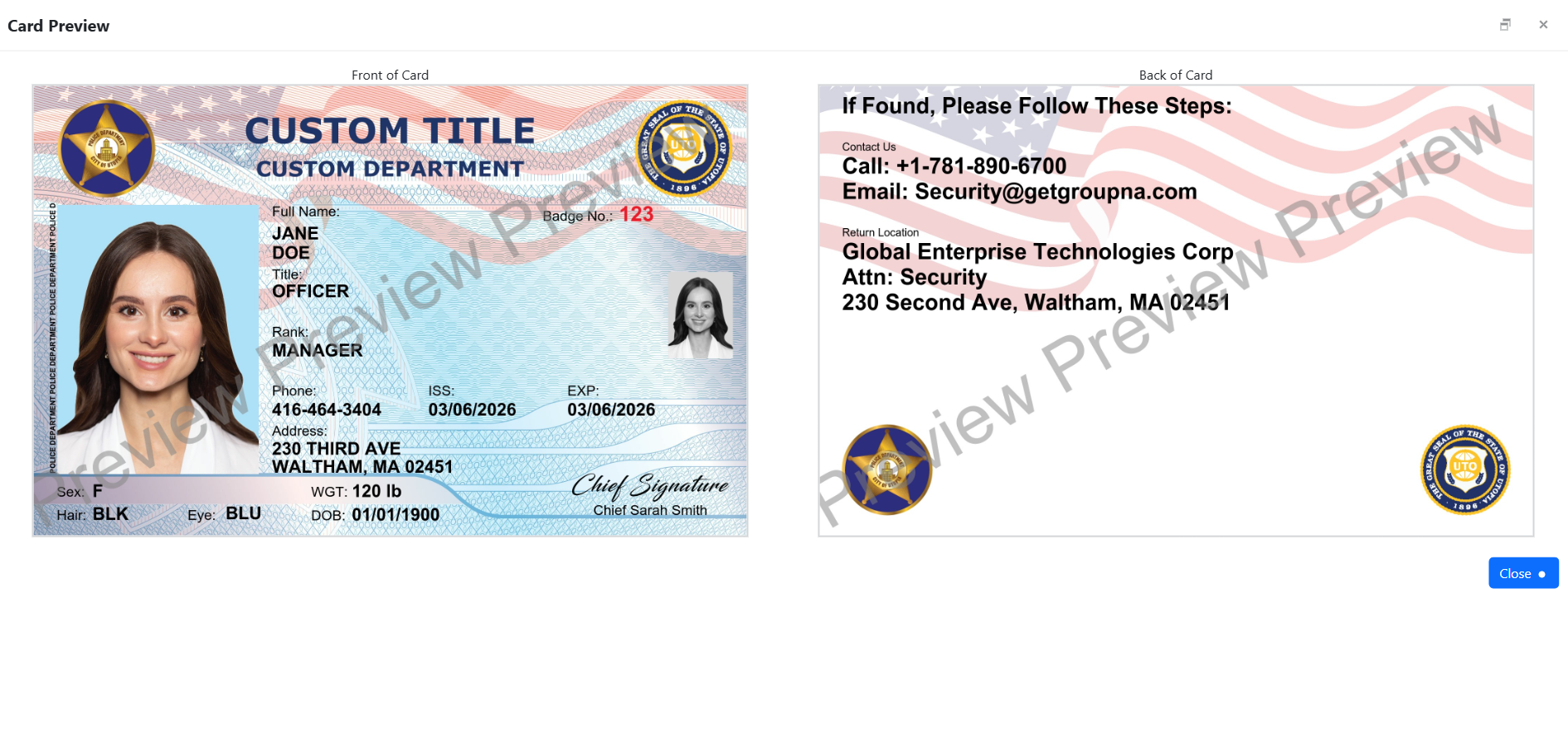
PREVIEW CARD
Proof
Approvals
Audit-ready
6. Preview Card
: proof on screen before you submit (fewer reprints, faster approvals).
Step 7 • Solution • System • Service
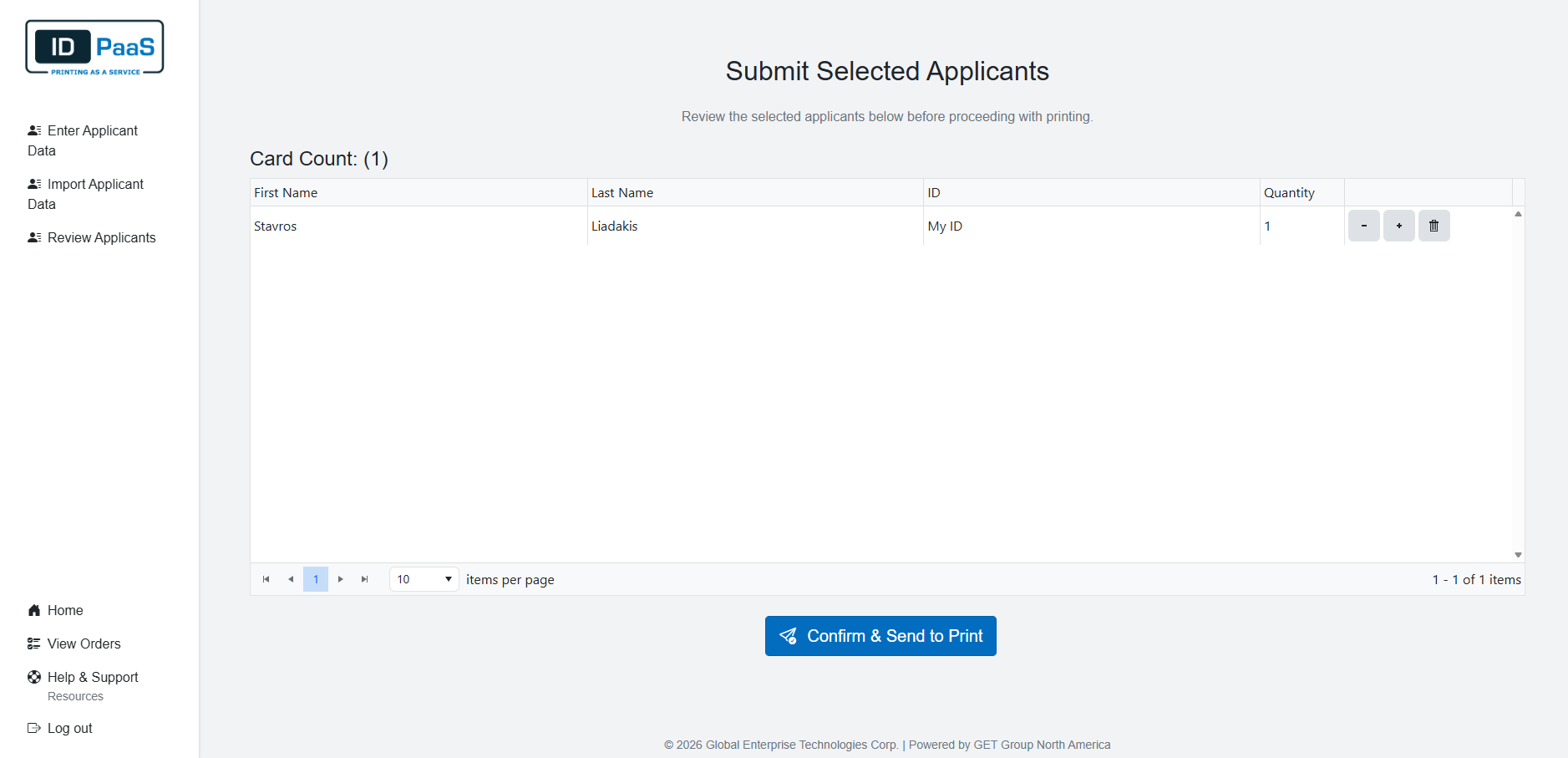
SUBMIT SELECTED APPLICANTS
Printing service
Status tracking
Chain-of-custody
7. Submit Selected Applicants
: submit approved batches for production.
Step 8 • Solution • System • Service
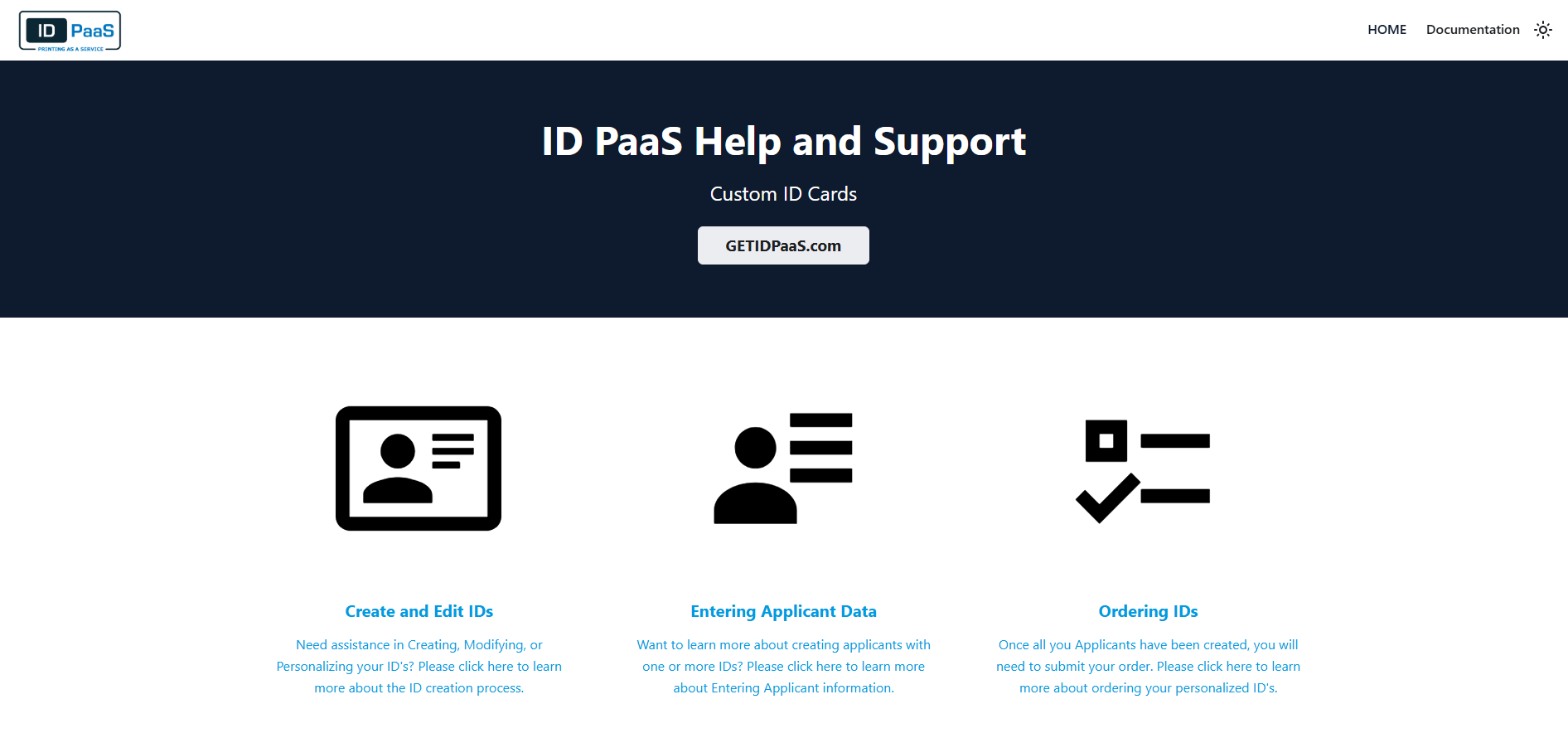
HELP CENTER
Onsite solution
Integration
Printer + access
8. Help Center
: Support center for building your credentials.
←
→
▶
⛶
1 / 8